Designing for the In-Between
Bridging Legacy and Rebuild Systems
Lead Product Designer | U.S. Air Force | Jan 2021- May 2022
Note: This case study has been sanitized to remove sensitive information, with select details and images blurred or redacted in accordance with security requirements.
Mission 🎯
Tanker planners relied on an outdated legacy tool plagued by bugs, incomplete integrations, and inconsistent data — undermining trust, efficiency, and timely delivery of tanker plans.
Scope: End-to-end UX design for a transitional tanker planner workflow in a bridge app (data entry only, planning remained in legacy tool)
Challenge
- Short delivery timeline
- Classified data restrictions
- Balancing two parallel workflows in the same app
- Transition added workload for users with limited immediate value
Approach
- Mapped workflows & service blueprints to simplify UI for the bridge app
- Designed & tested multiple prototypes with planners
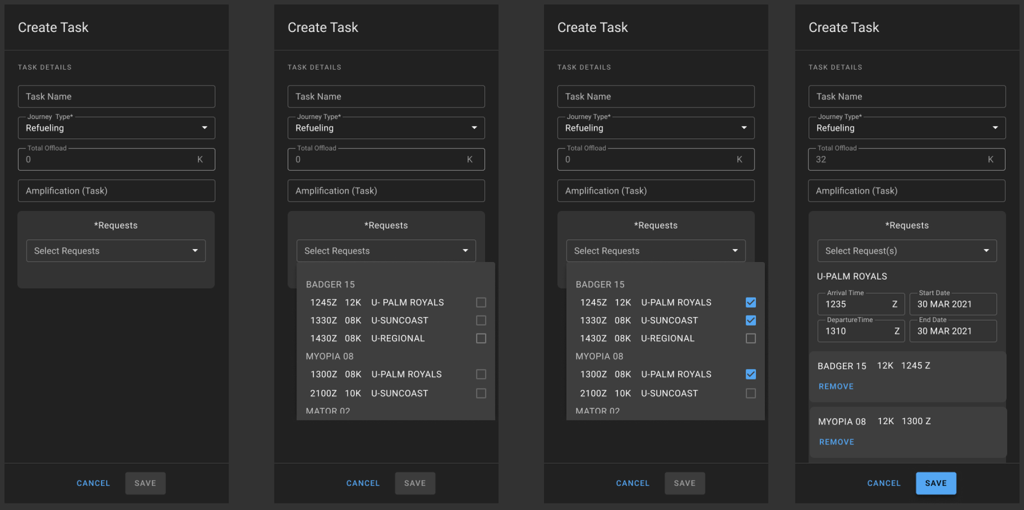
- Introduced multi-task selection (one tanker → many assets)
- Coordinated with another design team to align system patterns
- Iterated rapidly under tight deadlines to validate missing gaps
Impact
- Delivered new tanker workflow UI within the bridge app
- Enabled accurate tanker plan data flow into downstream systems & ATO
- Improved data accuracy & consistency in final deliverables
- Users adopted the workflow, while rebuild work began
Reflection
Wins: Delivered an on-time bridge solution, supported ATO accuracy, set stage for rebuild.
Challenges: Low user value in transition workflow, competing teams, technical debt.
Next Time: Start the rebuild redesign earlier to avoid forcing transitional workflows into temporary apps.
Learn More
Diving into the details....
Designing for the In-Between
Outcome
- Deliver a new tanker planner workflow UI in a bridge application that enables finalized tanker plans to be entered into the application
- Enable the flow of tanker data to downstream systems and final deliverables
- Improve data accuracy to final deliverables
Scope
End-To-End Continuous UX product design delivery
Deliver a Tanker planner UI in the bridge application but limit the workflow to finalized tanker plan data entry. Tanker strategy & planning will continue in the legacy tool until phase one of rebuild is complete.
Agency & Users
Tanker Fuel Planning Application for the U.S. Air Force Air Combat Command
Duration
January 2021 – May 2022
Product Team
1 Project Manager
10 Engineers
1 Product Designer
My Role: Lead Product Designer
Mission & Challenges
Operational Problem
Airmen relied on a legacy tool that lacked full integration with the broader software suite, forcing them to manually enter, update, and validate tanker data across multiple disconnected systems. The outdated codebase introduced frequent bugs and instability, requiring constant workarounds and putting on-time plan delivery at risk. Incomplete system integrations resulted in delayed data syncing, inconsistent outputs, and frequent discrepancies – ultimately eroding user trust, slowing decision-making, and reducing overall mission efficiency.
Why it mattered
Tanker Planners frequently encountered data discrepancies due to incomplete integrations, leading to delays, inaccurate, and inconsistent tanker data across the system which effected their daily mission
Success Criteria
- Accurate tanker data is captured
- Tanker data is approvable and vissable on the the Air Tasking Order
Constraints
- Short delivery timeline
- Classified data
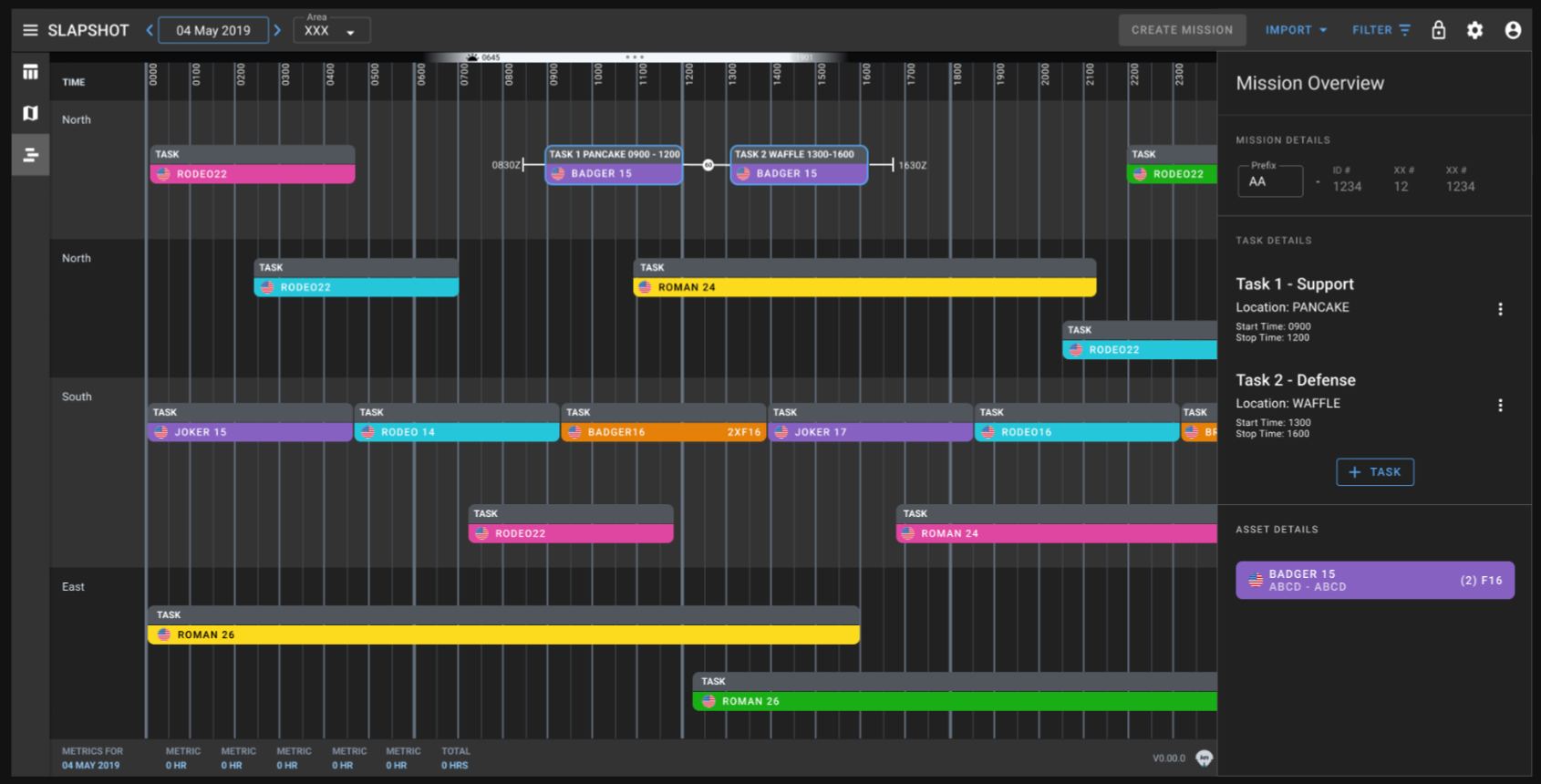
- Limit disruption to the bridge application that currently supports a different workflow and set of users
- Another product team will be
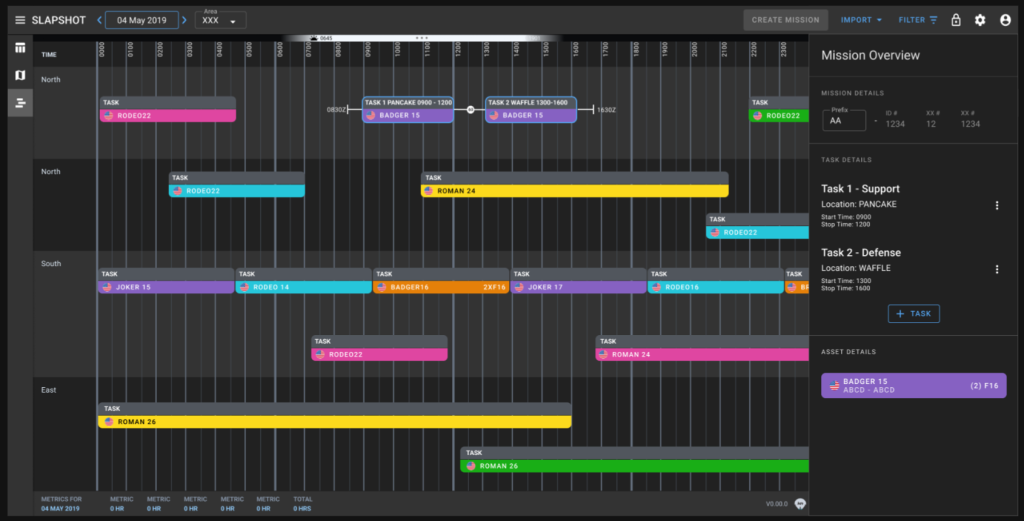
Discovery & User Testing
Approach
Identifying a Workflow & UI for Submitting Tanker data
During the research and discovery phase, we focused on understanding how the existing tanker planning workflow functioned within the legacy tool and identifying how it could transition into the bridge application. To do this, we explored several workflow options by mapping current processes and service interactions in order to pinpoint opportunities to simplify the UI and streamline user interactions. From those insights, we generated multiple early design concepts and interactive prototypes. We then tested these variations with users through A/B sessions, gathering feedback and iterating on the designs. This allowed us to validate assumptions, surface unmet needs, and ultimately frame the core problem around creating a workflow and interface that better supported the Airmen’s planning tasks during the transition.
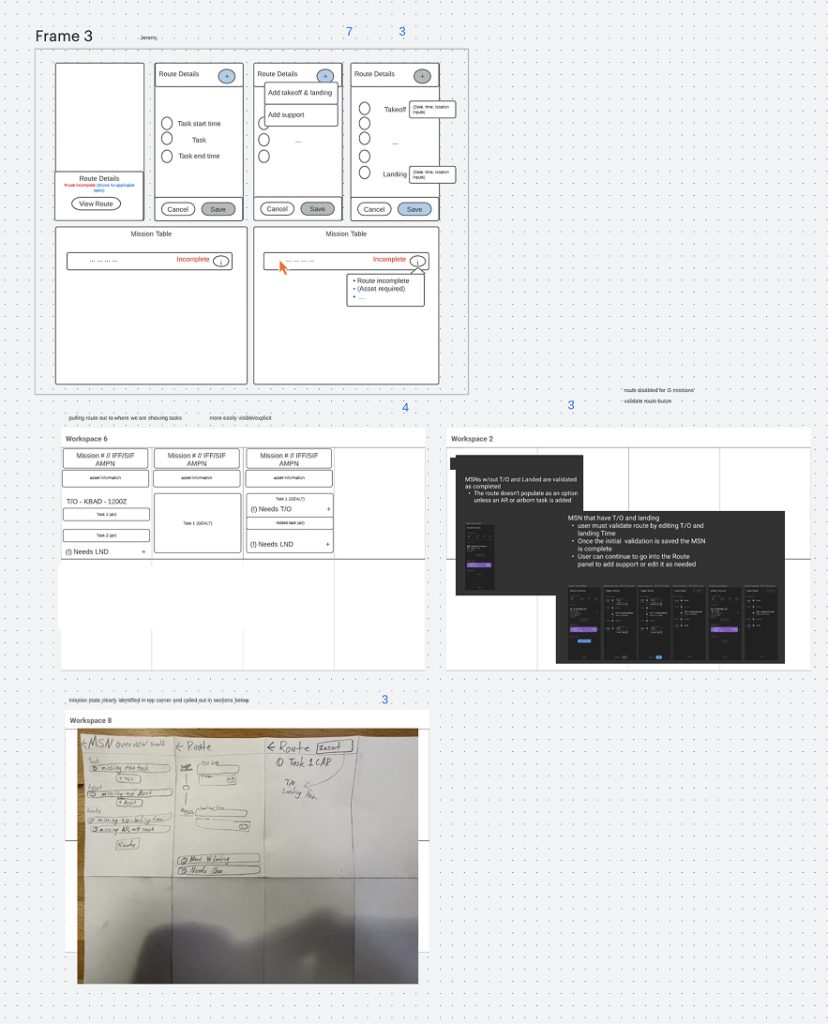
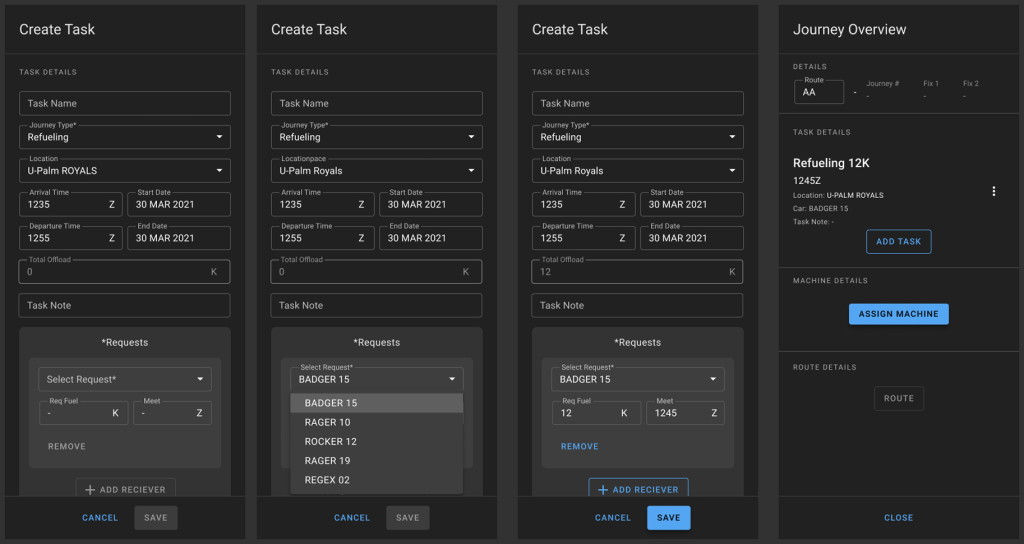
A or B
Insights
Challenges
- The existing workflow was only singularly task based and we needed to add a multiple task selection in order to meet the tanker planners workflow needs
- Given the short time frame we had to deliver a simple capability and iterate in real time through user testing to fill in any of the missing gaps
- Regular product and design sync between the two teams were imperative as both teams worked on the app. This ensured design consistency was maintained and that the designs didn’t overstep or incorporate capability that was out of scope for the longevity of the application as we worked alongside one another to deliver two separate workflows for two unique sets of users.
- The two workflows were different but overlapped and had some similarities so some of the existing UI could be used and modified which helped to save time during the design phase
- Tanker planners needed a one to many relationship, IE one tanker can refuel multiple assets, rather that adding one task at a time users wanted to multi-select assets which was a new concept and capability that we needed to add.
- Working closely with the developers to strategize
- Availability of airmen was limited
- very tight deadline to design, user test and deliver the UI
- getting user buy in as the the transition phase would add more work to their plate but result in a cleaner ATO
- working alongside another team as they deliver a separate workflow and capability in the same application presented production & design challenges
Problem Framing
Problem Statement
Airmen were burdened by a legacy tanker planning tool that lacked integration, required manual data entry, and suffered from frequent bugs and discrepancies—slowing decision-making, eroding trust, and putting mission efficiency at risk.
–“Disconnected legacy tool forced manual workarounds, data errors, and delays that undermined mission efficiency.”–
Core Jobs To Be Done Use Cases
Primary User
- Tanker Planners (Tanker Pilots)
- Assets need to request fuel to complete their missions
- Tankers need to be able fulfill these fuel requests
- Planners come up with a plan to meet fuel needs for missions
Design Objectives
- Add a form & form fields to capture tanker plan data (Indicate mission information and fuel amounts)
- Introduce a multi task selection capability only contained within tanker specific tasks (Ability to assign 1 tanker to many assets) (Select multiple assets to receive fuel from a single tanker)
- Add a subway map view to display refueling with views for assets and tankers (Display mission information in a subway map
- Introduce the concept of requested and fulfilled indicators for fuel requests
- Add fuel indicator displays for requested and fulfilled
- Introduce the concept of basic fuel calculations based on distance, time and availability of fuel
Design Strategy & Exploration
UI Designs
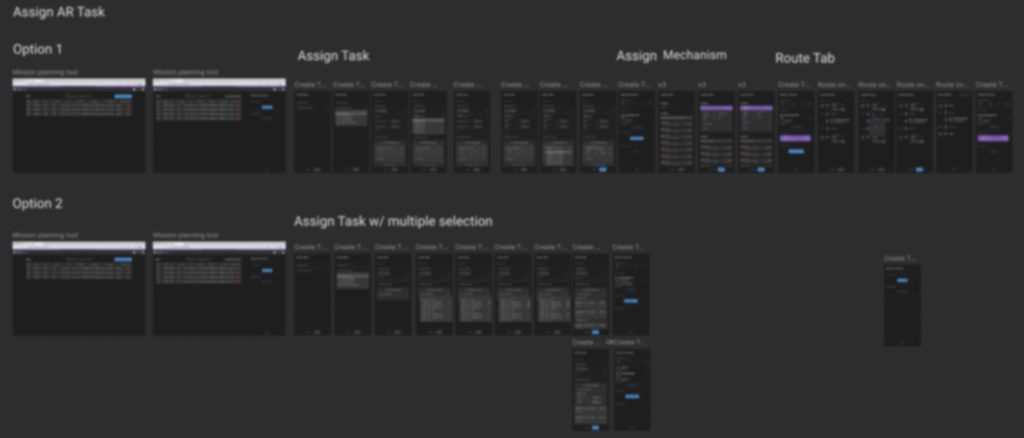
To integrate a tanker refueling workflow into an existing bridge application, I designed tanker-specific features that streamlined complex operations. Users could capture mission and fuel data via forms, assign a single tanker to multiple assets, and visualize refueling on a subway-style map with requested and fulfilled indicators. Fuel calculations and indicators ensured accurate planning, enabling operators to manage tanker missions efficiently without leaving the familiar interface.
Design Contribution &
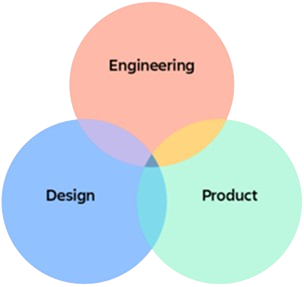
Collaboration
Design
- Led end to end UX design
- Delivered UI designs & prototypes
- Facilitated user testing & feedback validation of delivered UI
- Facilitate design studios with the team so everyone understood the challenges with introducing the new workflow & task complexities
Collaboration
- Worked with product and engineering to determine user stories and deliver the product
- Worked closely with users to validate and test UI workflows
- Worked closely with the team of designers from the sister app to make sure designs didn’t overstep and maintained the same design patterns, styling & system
Reflections
Outcomes &
Reflection
What worked
- Delivered a functional tanker workflow within the Bridge application.
- Achieved strong user adoption of the new workflow during the rebuild phase.
Enabled the generation of clean, accurate tanker plans for the ATO.
Challenges
- Low initial user value made adoption of the new workflow challenging.
- Competing workflows across two teams created misalignment with business goals and timelines.
- Tight deadlines required significant overtime to deliver the Bridge app on schedule.
- Technical debt accumulated, contributing to delays in the rebuild app.
What we would do different
- Begin the rebuild redesign earlier to avoid time pressure and reduce temporary work that ultimately had limited long-term value.
Leadership Insight
- Prioritize early strategic planning and timeline alignment to prevent short-term fixes that create wasted effort.